Monday, August 17, 2015

The Tonka AppMazing Race


Just over a week ago I attended the second annual iPadPalooza- Minnesota conference at TIES in St. Paul. Like last year, Carl Hooker was there as a speaker. He started the iPadPalooza events at his district in Texas. Carl is a fun, energetic guy with a lot of great ideas. Besides iPadPalooza, one of his great ideas is the AppMazing Race. In an AppMazing Race, teachers work in teams and go through a series of tasks using various apps on their iPad. 

One of our Tech Integration Specialists, Peter Gausmann, actually first heard Carl speak about the AppMazing Race at the TIES Technology Conference in Minneapolis in December 2014. Carl led attendees at a session through an abbreviated AppMazing Race, and Peter loved it so much that he and Sara Hunt, another Tech Integration Specialist, implemented it at our middle school iPad teacher trainings a few months later.

It was an immediate home run. Teachers reported having fun and enjoying their training session, which was great to hear! They practiced a number of apps in the process, experiencing learning just like their students in a deeper and more memorable way than a traditional training model. We then brought this successful experience to our high school training sessions, where Technology Integration Specialists Ben Stanerson and Sara Martinson had our high school teachers go through an AppMazing Race in the spring of 2014. Once again, it was a success and teachers loved it. Andy Smith, our District Videographer, filmed some of this and produced the video you can watch below. He did a great job capturing the learning and fun that took place. Our teachers have started creating activities for their students using the AppMazing Race format, too. I recently saw the lesson plans from one of our high school social studies teachers who has this planned for an activity on the first day of school with her students in a few weeks.


In Minnetonka, we attribute much our success as a leader in educational technology to our professional development. We constantly strive to provide the best training and support possible for our teachers, and are always looking for new and innovative ways to do this. I am thankful to Carl for sharing his AppMazing Race idea with others outside his school so that other teachers can experience this fun, successful professional development learning experience, too!

Monday, August 10, 2015

Sneak Peek at Two Minnetonka Public School Media Center Summer Remodeling Projects

Over the past five years, some media centers in Minnetonka have been remodeled and updated for the times. Two media centers are currently going through this process this summer. Collaborative workspaces with mobile furniture, quiet areas for studying and reading, work stations for computers, projectors for large group sharing and teaching, small group workrooms, and flexible shelving for the book collections have been created.  

First, some history: 
 
Deephaven Elementary School Media Center
The Deephaven Elementary Media Center was remodeled in 2010. The footprint of the space did not change. A sunken seating area called "the pit" was filled in and made level with the rest of the room. Students and parents helped to plan the space along with Media Specialist Kelli Whiteside. More information and additional pictures about it can be found online.


Groveland Elementary School Learning Commons
In the summer of 2012, we transformed another elementary school library. The Groveland Elementary Media Center footprint was expanded at the same time some new classrooms were added on to the building, adding to its square footage.  This addition let in a lot of natural light with an entire wall of windows. The space has a nautical theme chosen by students and parents with portholes, sailboats, and a map of Lake Minnetonka on a curtain. Groveland also renamed the space the The Learning Commons.  More information and pictures can be found online as well as on a Google Site about the transformation by Media Specialist Colleen Small


MMW Media Center before changes
2015:
This summer at Minnetonka Middle School West (MMW), the first phase of a remodeling project is underway with new paint, some pendant lights, and some new furniture donated by the PTA planned in collaboration with Media Specialist Erin Carcamo. This is the first phase of a the project with more to happen in the future.
Colors for MMW Media Center
Architect drawing of MMW Media Center new furniture


MMW Media Center being painted,
note new wall color


High School Media Center with
old carpeting being removed

At Minnetonka High School (MHS), new flooring and paint with a new color scheme, some new pendant lights, and a lot new collaborative-style furniture has been added. A computer lab has been removed making way for a small group meeting area. Large, individual workstations with desktop computers that dominated the middle of the room are being replaced by smaller profile computer which will be along the side. The Media Center will be renamed The Port. This is the first phase of a multi-year project planned by staff, including Media Specialist Peter Gausmann. 
Color palette for new MHS Media Center

Architect's drawing of MHS layout with new furniture
New furniture in MHS Media Center with
new carpet installed and walls freshly painted.
More new furniture in the MHS Media Center
(yet to be arranged)


Monday, August 3, 2015

Techcognition in an Attention Economy

Sunset on Sawbill Lake in northern Minnesota, 
With three colleagues in Chicago for the
Schoology NEXT Conference.

Last week in less than a 24 hour period, I left the Schoology NEXT conference in downtown Chicago, flew home to Minneapolis, picked up my four kids and camping gear, and spent the next four days on Sawbill Lake in the Boundary Waters Canoe Area (BWCA). It was quite a transition from a tech conference in the city filled with skyscrapers and millions of people to the remote wilderness completely off the grid!

The BWCA is a national forest campground with over a million acres of lakes and forests in northern Minnesota on the Canadian border. There is no electricity, no running water, no motorized vehicles, and no roads. You travel by canoe and portage (carry) your gear over the land between them, which can be a short path or very, very long hike.

I believe this was my 17th year camping in the BWCA: my dad first took me in high school and then nine years ago we started bringing my own kids. Dad "retired" from these trips about four years ago and my college roommate joined me, helping with all the gear, cooking, and work. (My wife stays home and enjoys her time alone for a few days.) My kids started going when they were between the ages of three and five, and starting last year all four were old enough to join in the fun. The BWCA is a great place to spend time together, relax, swim, explore, observe nature, fish, play cards, read books, and disconnect.  I only used my phone as a camera.

I spent a lot of time thinking about being off the grid and aware that I was not connected or on a screen over those four days in the BWCA. You can really notice how much time you spend on a screen when it suddenly is not available. There wasn't any technology prompting me for my attention. There was no way to check in and see if I'd missed anything, either. 

The day after I returned home, I heard yet another fascinating (and timely) WNYC's Note to Self podcast episode entitled, The Attention Economy: What is Our Attention Actually Worth? In the episode, Manoush Zomorodi interviews Tristan Harris, a tech entrepreneur and design ethicist, who explains that some tech companies design for and get paid by the amount of time they can hold our attention in an app/program/device. Tristan wants to change this, and I hope he (we) can. He tells an interesting background story about the original designers of AirBnB, who originally measured the success of their service based on the positive time/value add that hosts and guests collectively reported about their stays and time together. Imagine focusing on a positive metric like that... versus bottom line profits based on how much time you can just grab someone's attention, taking them away from those around them, their thoughts, or just some down time! It's encouraging to hear that someone in Silicon Valley is thinking about designing technology to not demand more of our attention, and I hope other developers will adopt this way of thinking.

I believe that one of the essential skills we can teach our children as parents and educators is an awareness of how they spend their time with technology, how frequently, and the value of their interaction with it. As we see both them and ourselves being engaged and more dependent on screens and technology, it seems that it will be even more difficult in the future to recall life before this constant connection and screen presence. I wonder if future generations will even have times where they are just lost in their own thoughts in silence, or be with one another without technology present? I believe it is important to provide kids with experiences off the grid and/or away from technology so they know what it is like, as well as to frequently discuss an awareness of their use of and reliance on technology. 


Techcognition- an awareness and understanding
of one's own use of technology


Metacognition is the awareness and understanding of one's own thought processes. Perhaps now we need a term for the awareness and understanding of one's own use of technology. How about techcognition (or technognition)? I hope to help my own children and today's students with their techcognition skills. I want to help them learn balanced vs. addicted or distracted use. Technology is certainly here to stay. It is essential and beneficial in numerous ways. Helping today's kids learn to be cognizant of their interactions with it can only help prepare them for a future that will be even more connected than things are today.  

If you have never been to the BWCA, I highly recommend it. If you're fearful of what to pack or how to do it, there are plenty of outfitters and even guide services. I'd be happy to recommend something, just let me know. (Chicago is a great place to visit, too, but for different reasons.)

Related posts: 


Monday, July 27, 2015

Back to the Future Part III: SMARTBoards as a Past Catalyst for Future Technology Integration

Image Source
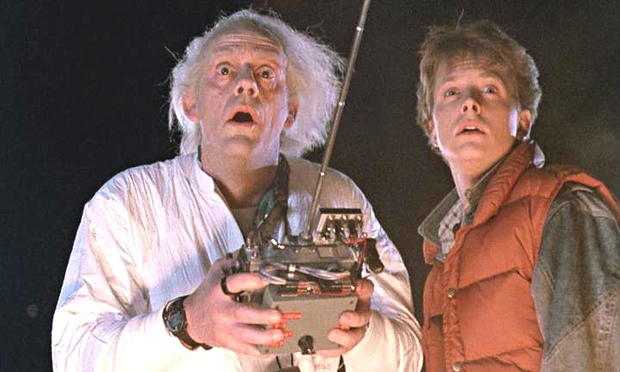
Continuing with the Back in Time and Back to the Future themed posts from last week about Instaframes/Overhead Projectors and two weeks ago about technology staff development 10 years ago, I figured a third part in the series is required, since, after all, there are three parts to the movie series, right? In Back to the Future Part III, Marty goes back in time to the late 1800's to try to alter some events in order to change the present time. Do you ever think about what you would change if you could go back in time?


Over the past twelve years that I've been working with the integration of technology in learning and teaching in Minnetonka, I'm sometimes asked, "What would you have done differently?" In my early career I would get asked about our choice of SMARTBoards. Today the question I get is about our choice of iPads. Hindsight is 20/20 of course, but I wouldn't change either of these choices we made (even if Marty pulled up in the Delorean and gave me the chance).  


As I wrote a couple weeks ago, we started putting SMARTBoards in our classrooms in 2002 and during the following five years, we added an interactive whiteboard, projector, and sound field to all of our 600+ classrooms. This began the digitizing of our curriculum. Back in 2009, I wrote an article for ISTE describing SMARTBoards as a springboard for technology integration (pictured below). Our teachers wanted their content to be on their SMARTBoard, and wanted it to be more interactive. They worked hard making their lessons digital, moving from overheard transparencies at the time. So our teachers have been creating digital curriculum for a decade or more, and thinking about ways to make it interactive, not just present it on a screen. This has been a great foundation to build upon and really helped us get to where we are today. 


In the ISTE article I wrote that I noticed our teachers were integrating technology at higher levels than other educators whom I taught in grad programs employed in school districts without SMARTBoards. I noticed that having a SMARTBoard required teachers to digitize their content and lessons, and it was a great catalyst for further technology integration. The alternatives at the time- simply a projector or nothing at all- did not have the same effect.  

"In the long run, the up-front cost of an interactive whiteboard for each teacher is money well spent. It will accelerate the teacher's adoption of technology and result in higher, more innovative levels of technology use by teachers and their students.  Money spent on staff development often results in hit-or-miss implementation of technology that may be infrequently used. An interactive whiteboard used on a daily basis truly gives you a bigger bang for your buck."
SMARTBoards have proven to be a great decision which we made over a decade ago. I wouldn't change that choice, and don't feel the need to find Marty to go back in time to try to alter things. Last month I wrote about the iPad being a big bang for your buck. I believe that our decision to go with iPads vs. laptops will also be one that we are happy with a decade from now, too. It will be yet another technology integration springboard for our staff and students, with no regrets or desires to go back in time and change our past.


Learning & Leading with Technology, vol. 36, no. 6 © 2009, ISTE


Monday, July 20, 2015

Back to the Future Part II: Today's Technology Will Be the Worst Our Kids (and New Teachers) Know

Image Source
View on Twitter
Continuing with the Back in Time and Back to the Future themed post from last week, I was thinking about something keynote speaker Tom Murray stated at our Minnetonka Summer Technology Institute on June 18 (#TonkaInstitute). During the keynote, Tom did a quick review of the newest and greatest technologies, showing images of mimeograph machines, Oregon Trail, Palm Pilots and more. On the slide pictured in a Tweet to the right, Tom showed the progression of cell phones over the years, he had the audience take out their own cell phones and hold them up. Then he pointed out that, "The tech in our hands now will eventually be the worst kids know."  The statement was both obvious and starling at the same time. 

What was the worst technology I would know as a teacher?  


This got me thinking.  What was the worst technology I had as a teacher which was the best at the time?  For me, it's the overhead projector. 

When I started teaching 20 years ago in Minnetonka-fourth grade in fall of 1995-I had an overhead projector in my classroom which I used constantly instead of a chalkboard. Remember those? Overhead marker ink on your palms every day from smears/erasing ink? By Sunday night most of it had washed off from the previous week of teaching and your hands looked pretty normal... 


If you're curious, the photo behind the frame is from a hike up
Oberg Mountain on Minnesota's North Shore during fall color season.
I have an old InstaFrame transparency holder in my office which I now use as a picture frame. (For younger readers, note that this is different than the current Instagram feature.) In a way this device and technology was like the first iteration of PowerPoint, allowing you to place different transparencies on the glass, held in place by the frame, and you could annotate on top of them while they were projected to the class. It just wasn't digital yet.
 

I've kept this InstaFrame in my office as a visual reminder of how things were when I started. Sometimes it's good to pause and reflect on just how far things have come in two decades of technology integration, and to think about where things may go in the future. As Tom said, "The tech in our hands now will eventually be the worst kids know." If iPhones and iPads are the worst technology our kids will know, and the worst tech our new teachers have in their careers, what changes will 20 years bring? Unless I can find that DeLorean again, I suppose I'll have to wait to see!

Watch a video overview of Minnetonka's use of technology here.

Monday, July 13, 2015

Back to the Future Part I: 2005 Technology Staff Development Classes- the Beginning of Minnetonka's Digital Curriculum

I love the concept of time travel, whether it is a book or movie. Recently my wife and I watched Back to the Future and Back to the Future III to our kids, both really fun movies to see which our kids enjoyed. (Sorry, we're not Part II fans.)  And just a couple of days ago I saw a DeLorean drive by, so Doc and Marty were on my mind as I came across a sheet of paper from my past and wrote this. So...feel free to press play on Back in Time by Huey Lewis and the News (one of my favorite pop 80's bands) as you read the rest of this:

I started working as an elementary fourth and fifth grade teacher in Minnetonka 20 years ago. After four years at elementary, I moved to one of our middle schools and spent four years teaching there. Then, twelve years ago I was hired as our District's first Technology Integration Specialist. We had just started with SMARTBoards in our classrooms back in 2002. As one of the first teachers in Minnetonka who had used a SMARTBoard and then left the classroom to train colleagues, I spent a lot of time helping colleagues with SMART Notebook software and learning to add technology to their lessons. We actually didn't have a lot of projectors in classrooms at the time, so when we added SMARTBoards it was also the first time those teachers had the opportunity to project their computer, a PowerPoint, or display an Internet page for their students. Over the next five years or so, we added an interactive whiteboard, projector, and sound field to all of our 600+ classrooms. Some more videos about that can be found hereThis began the digitizing of our curriculum. 

In about 2004 or 2005 I started offering technology training to teachers in August prior to the start of the school year. I didn't think I had any record of those earliest classes that until my wife found the sheet of paper pictured below at home in a stack of recycled/scrap paper now used by our kids for coloring:  


Technology tools in 2005 for our teachers were SMARTBoards, Inspiration and Kidspiration Concept Mapping Software, Blackboard, Windows Movie Maker (with digital cameras using a 3.5" floppy disk), and United Streaming videos. It's pretty amazing to think back and reflect on how far things have come. For example, we often forget how much work it was in 2005 to make a digital movie and take for granted that we can just do this all on our phones now. 

It is also good to see that even ten years ago, we were focusing on more than just the tech tool itself. In the descriptions on the page, there are phrases like use "technology to foster inquiry in student learning", encouraging teachers to have students use technology for projects such as a "narrated movie or animated short video," and to use technology to "deepen students' understanding," all things we are still working on today. The tools have certainly changed but the underlying principals of technology integration and staff development have not.

It will be fun to see what the future holds in regards to technology staff development. Another ten years from now, I would hope we are still working on fostering inquiry, having students use technology, and deepening understanding. Maybe if I was a bigger Part II fan I could just go with Marty and visit the future today. Nah, I guess I'll just have to wait and see.

Monday, July 6, 2015

A Big Bang for Your Buck: The iPad for $0.38/day: Less than a Chromebook

[Update one year after this post: we sold our iPad2s back to a vendor and use the revenue toward purchasing new devices, bringing the total cost for an iPad per student per school day down to $0.38! More on that here.]

Five years ago when we started our iPad 1:1 program, we were anticipating that an iPad would last three years. The device itself was so new no one really knew how long it would hold up. At the time iPads were introduced, people worried that a mobile tablet device with glass in the hands of children in a classroom would not last. They also worried about how long the inner parts and pieces would function.

We were very pleased last month to finish a fourth year with our original batch of 16GB iPad2s, and even more pleased to be able to use them once again this coming school year, getting a fifth year of use out of these iPads. These iPads have continued to function well, allowing students to annotate digital work, create iMovies, and so much more. At WWDC a few weeks ago it was announced that iOS9 will work on our five year old iPads, too, still allowing our students to have the latest functionality needed for learning.
Image Source

An iPad with case costs us about $400.  If you divide that out over five years, you end up with a cost of only $0.44/day! That's less than one Starbuck's medium cup of coffee a week!


$400 ÷ 5 years ÷ 180 school days = $0.44


I realize there are other costs for a 1:1 program, too: some apps cost money, but we are able to keep those year to year regardless of the device. Our mobile device management system has an annual license fee, but that only increases the cost per day a few cents per year. But licensing costs as well as infrastructure and staffing support expenditures come with any device whether it is laptops, Chromebooks, or iPads. 

We have considered reselling our iPads after a few years of use, too, as they do maintain quite a value, but so far have not. It’s an intriguing option, but when considering this, be sure to factor in the hours needed for collecting and redistributing devices, helping thousands of kids with re-set up, etc.  This is not something we have been interested in at this time.  In fact, we had our students keep their iPad this summer and saved ourselves a lot of time.

Colleagues in other school districts with Chromebook implementations have told me about the difficulty they have had finding a well-built device that will hold up to classroom use.  They have had bad luck with the inexpensive models they purchased. We just purchased some Chromebooks for about $260 apiece including the annual device management license (which is much more expensive than our iOS MDM). We are anticipating that these Chromebooks will last  three years. If that turns out to be true, then our Chromebook cost per day will be $0.48, meaning our iPads are actually less expensive than Chromebooks. If the Chromebooks last longer than three years, the costs will be less. But three years from now our iPads could be eight years old and still working, bringing that overall cost down as well... 

Next year we are adding grade five and six students to our 1:1 program, so we will be 1:1 in grades 5-12. A few weeks ago we collected the iPads of our graduating seniors. Those four year old 16GB iPad2s will be redistributed to our fifth grade students in September. Last week we received a delivery of iPad 32GB Airs for this year's grade six students (pictured). If those iPads last as long as our first batch, our current seventh graders will turn them in when they graduate five years from now in 2021.  

Perhaps we will be able to use our iPad2s for more than five years, bringing the total cost down to even less, who knows?  The iPad has turned out to be a great device not only in terms of instruction, but also as a great choice for maximizing the return on our investment.  

Other posts related to iPads

More about Minnetonka's 1:1 iPad Program