Showing posts with label High School. Show all posts

Monday, November 25, 2019

Minnetonka Hosts Harvard Weekend Code Academy


Over 30 students attended a Harvard Weekend Coding Academy at Minnetonka High School (MHS) this past weekend. Students of all abilities spent 14 hours working with two students from Harvard to learn the fundamentals of the Python coding language. In addition to learning coding techniques, students developed critical thinking, problem solving, and collaborative skills. They also met new people, collaborated, and had fun!

The event was organized by Charlie, a MHS senior interested in majoring in coding in college, who had attended a more in-depth Python coding camp at Harvard this past summer. There he heard of the opportunity to bring the experience to his own school over a weekend. He contacted The Academies at Harvard, which is a branch of Harvard Student Agencies, a non-profit business run by Harvard undergraduate students. They set up and take care of the website and registration fees, and Charlie worked with our MHS coding teachers, Nick Bahr and Theresa Hendrickson, to advertise it at school. Charlie put up signs, made morning announcements on the school news show, advertised it on social media and in the school newsletter, and enlisted the help of some parents to spread the word. 

For the class two college student instructors from Harvard, Shaik, a New York City native and econ major, and Clarence, also from New York and a computer science major, flew in to Minnesota for the weekend to teach the course. Both instructors are teaching assistants in courses at Harvard. Shaik explained that instructors need to go through training and show mastery of all course content as well as have prior experience working with students (such as during the summer coding camps held on campus). Languages and frameworks that can be covered in a Weekend Academy include Scratch, HTML, CSS, Python 3, Jinja and Flask. This particular course was a series of online activities that challenged the students to solve various Python coding tasks. Students learn to use Python in steps as they problem solve and compete each stage. 

For example, one student named Becca, a MHS junior, was working on Else statements, called Elif statements in Python. She was working to get the words Fizz and/or Buzz to appear in a string of numbers when multiples of 3 and 5 existed. If a number was both a multiple of 3 and 5, students needed to get Fizz Buzz to appear, but not Buzz Fizz. She was enjoying the challenge of coding these “If not this then that…” problems. Becca is currently in the AP Comp Sci Principles year long course at MHS. She’s interested in computer science for a future career and wanted to “dip my toes in and test the water.” Another attendee, Sophie, was a sophomore who also had prior coding experience and wanted to enhance her programming skills. She is currently taking AP Comp Sci 1 and knew some Python from 7th grade. She is good at coding, sees it as a growing field that will be high paying, and wants to see more women get into STEM careers.

Not all attendees were currently enrolled in coding courses. Freshmen Ketav and Will both thought it would be fun to learn to code and so they signed up. Will, who skipped a Saturday swim team practice to attend, is considering a coding career because he knows “software developers highly sought after.” I heard similar stories from other attendees like Autumn, a junior who loves metalwork and plans to be a marine. She was new to coding with no prior experience. She started at MHS last year and therefore hadn’t taken coding starting in elementary school like most of her classmates. She was working on replicating a half pyramid of blocks (like the one pictured from the Mario Bros. video game). She said it was “fascinating...somewhat difficult in a way, but once you get through it it’s pretty cool.” 

All of the students seemed to learn a lot and enjoyed the experience learning to code in Python.

Related posts:


Monday, April 8, 2019

Student Innovation Teams- Part II: High School


Last week in Part I: Middle School, I explained how Minnetonka has added secondary student innovation teams over the past few years to our annual crowdsourced idea hunt  (for more on this, see Innovation is Now Our Strategic Plan). This week I will highlight the work of our high school Student Innovation Team which recently presented to our School Board. The group is advised by Ann Kaste, Information and Digital Learning Coordinator and Nicole Snedden, Innovation Coordinator and Design for Learning Project Leader. One of my sons is on the high school team this year, so I have been able to hear his perspective, too.


As you will learn from the video of their presentation to the School Board, the high school innovation team is split into small groups. The group presenting was tasked with redesigning a newly created open space after the removal of an old locker bay. They used the Human Centered Design process to get to the final design pictured. They identified their challenge with “How Might We..?” statements:
  • How Might We design a quiet space that would allow for classes to remain uninterrupted while others were using this space?
  • How Might We construct the space to not only foster quietness, but also collaboration?
  • How Might We create a space that allows for easy maintenance and vigilance?   

The students met with different focus groups such as hall paras, custodians, students, and teachers. They learned about all sorts of concerns and hopes from the groups they interviewed, from the ease of cleaning the space, to the visibility of and collaboration opportunities for students meeting there, to the sound levels and the quality of the furniture. After gathering all this input and feedback, the students began to prototype options. 

They created two different prototypes and brought them to Intereum who designed a space using the student feedback. The final design includes movable walls that have acoustic panels to eliminate sound and whiteboard panels. The students explain in their proposal that “the panels allow the space to be separated and relatively private, but still allow for enough supervision that kids are kept safe. The walls also include school colors to blend in with the space around it”

The group applied for and was awarded a Design for Learning grant. Last week they were selecting fabric colors for the furniture. It should be done later this year and the team as well as all their classmates will be able to use the new space. Some quotes from their presentation show just how much the students learned from this process:

“Change takes work,” said Kristine. “It takes time, revisions, empathy… [I’ve learned] what it means to get things done. 

Lauren said she “improved my public speaking and presentation skills [and] learned through our own mistakes.” 

Colette explained that this work “pushed me to learn the value and benefits of seeing other people’s viewpoints.”

Nate described how “empathy is really important to the Human Design Process… Something’s that really stuck with me is the importance of talking with people and understanding their opinions and seeing where they come from...this will definitely help me later in life working on various projects… in college or future job. Empathy is the basis of everything.”

In addition to the locker bay remodel, student innovation teams at our high school are working on a variety of other ideas from improving the parking lot to therapy dogs. As I mentioned last week, students are engaging in motivating, real work meeting multiple dimensions on our Minnetonka Teaching & Learning Framework during this process: real-world learning, communication, collaboration, creativity, authentic problem solving, use of technology for learning, and more. All students, not just here in Minnetonka, can have these opportunities. Districts outside ours are partnering with Minnetonka to do both crowd-sourced innovation and establish student innovation teams.

Related posts:

Monday, January 14, 2019

Minnetonka High School Students Design Apps in Introduction to Computer Science


Last week I was able to see five student groups present their app prototypes during their Introduction to Computer Science class at Minnetonka High School. It was fun to see the creative ideas they came up with as solutions to problems and needs for other students--including apps to deliver food to apps, apps to learn content like trivia and math facts, and an app to help new students navigate around the building. Intro to Computer Science is a semester long course offered at our high school either in person or online in the summer. The face to face class meets in The Loft, a beautifully newly remodeled space just opened up this school year.

Instructor Nick Bahr explained that students had two weeks for this app development unit. They use Code.org’s App Lab for the curriculum lessons and program to develop their prototypes. Students chose to work individually or in groups and began by selecting the need or problem for which to create an app. They did market research looking at existing products and brainstormed ideas for a possible app, working out prototypes first on paper that were shown to others to gather feedback. Then they built their app prototype, testing it out and debugging it along the way. Students also then solicited feedback from peers and/or individuals who would be potential users of their creation. At the end, they created a presentation about this whole process and gave this presentation to their classmates on the day I was there. They also reflected on their work with one another and answered questions from classmates.  

One example of this project and presentation is embedded above. Calista, Ella, and Angelina did an excellent job of describing each step of their process in their presentation. You can view their math facts app for elementary students called Math Popper, complete with 45 different screens and an interactive game at the end. The Trivia app created was called Turbo Falso. The two apps to order food from the school cafe (called The Cove) are B.A.B.A. and Cove Delivery. Finally,  Freshy Maps is the app to help newcomers at the school find their way around the building.

On the presentation slides for the B.A.B.A. app (Bread Acquisition Banana Associates), the students wrote the following comments in the notes section of the slides which give you more insight not only into their thought process but also how much learning took place for this project:

Market Research:
It’s pretty clear that there is no such system to deliver any food between classrooms, so the thought just inspired us to cook up such an idea, like an indoor delivery service. We discovered that it isn’t quite common to do something like it, and it would be a somewhat unique idea

Paper Prototype:
This is our paper prototype for our app. It starts with a screen that you enter in your school lunch pin and a room number. Then you are taken to the menu where you can select certain items and order them. This takes down your balance and if your balance goes below 0 after ordering something you are taken to the insufficient funds screen where you can add more to your balance or sign out. Otherwise if your balance is not below 0 you will be taken to the order success screen after ordering which would send us/the cove an email saying what has been ordered and you can continue on to the delivery time screen where it tells you if you delivery has been sent an how much time it will take for your delivery to arrive.

Digital Screen Designs:
All of us had to come with a design and order, then came together making our own individual screens and combining them together, making somewhat of a quilt of different art styles We had to make some adaptations to our screens and how they are ordered from our paper prototype, such as having to remove the email and time to delivery screen due to complications with coding them. In addition, we decided to make the insufficient funds and add to balance screens separate in order to allow for people without a negative balance to add funds to their account from the menu screen by clicking the Add to Funds button. Also we added to the menu screen by making it so that if you clicked the checkbox it shows an image of the selected food item.

User Feedback:
When we showed our app to others, people thought it would be helpful. One person said that he gets hungry during the day, but doesn’t want to leave class or get a tardy from trying to get to the cove and our app would fit that need perfectly. Even though he liked the concepts, he said that we should change the color and font because they were ugly.

Future Work:
A theme to sum this all up, is to give actual access to the school accounts, and the power to change the money of the students

Reflections:
What was hard? Getting the work done on time was a bit challenging. Keeping all group members on topic and focusing on producing the best work and making a functioning app that serves its intended purpose.
What we did to get around it? We, as a group used strong communication with each other to relay ideas and what works to each other. We also had good group chemistry so we could pull together to overcome anything one of us may have struggled with.
What We Learned? We learned programming in JavaScript. We learned that it is relatively easy with blocks, but importantly, we learned what the order of certain functions in JavaScript need to look like in order to work. A lot of times the program just follows a pattern and unlike humans follow exactly what you tell it.
What Is the next step? The next step is to (with permission granted) expand the Baba app to have more that just our id numbers, so having everyone in the school. All this would require is to add more lines of code for specific numbers, or a range of them.

More about this class
As described in the course catalog, the course takes a wide lens on computer science by covering topics such as programming, physical computing, HTML/CSS, and data. The course inspires students as they build their own websites, apps, games, and physical computing devices. The course focuses heavily on problem solving, web development, and JavaScript programming. The programming unit consists of an animations and games unit, as well as a final unit focusing on app development. Students will gain the necessary skills and knowledge to continue their computer science studies regardless of the path the student decides to take.

To learn more about coding in Minnetonka K-12, please see some of the related posts listed below:

      Monday, April 2, 2018

      Minnebytes Year 2: 50 More Examples of High School iPad Integration


      For a second year in a row our high school 
      instructional technology coaches are compiling a weekly newsletter highlighting three ideas for integrating iPads in the classroom. Each week as they are out in classrooms working with teachers, our three high school instructional tech coaches see these firsthand. They snap a photo, write a few sentences describing the lesson they observe, explain how the lesson fits in with our Teaching & Learning Framework, and then put each of them on a slide in a continuous Google Slide deck.

      This is the second time I've posted about this. Last year I wrote about the first round of ideas shared. These ideas continue to be shared weekly with staff as well as parents. It is a great way to educate everyone about the possibilities and power of using iPads and technology in instruction. We continue to track views of these weekly ideas by both staff and parents using the free analytics tools available through Goo.gl/Google. 

      In addition to these high school examples, ideas are regularly shared at our other schools as well. Take a look yourself at all the great ways teachers and students are leveraging technology for learning!


      Related Posts:

      Monday, May 8, 2017

      A New Twist on a Band Playing Test: Solo Trios with GarageBand

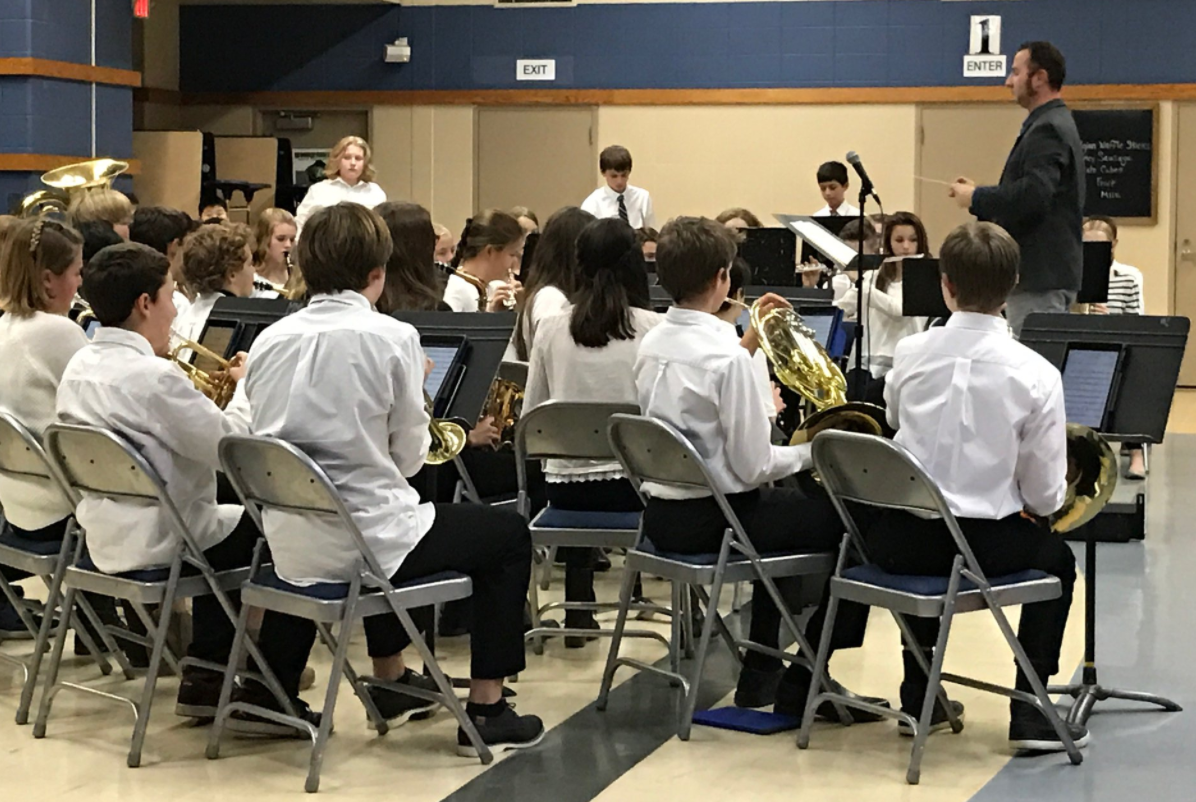
      Minnetonka band students have embraced the iPad as an instructional tool and routinely have their iPads on their music stands as pictured, annotating music during practices and touching screens to turn the page.

      Our freshman band teacher, Paul Rosen, recently shared a creative twist on the traditional playing test students do for his class. He rearranged a piece of music so his students could play three different parts of it for their playing test using GarageBand. Students recorded the first part, then as it played they recorded the second track and layered that recording on top of the first. They repeated this process again and ended up with a recording of a trio entirely played by one person--themselves--for their individual playing test. They then turned this GarageBand recording in to their teacher through Schoology, our Learning Management System.


      Recording a playing test and turning it in through Schoology is a common, standard procedure for our Minnetonka band and orchestra students beginning in fifth grade in our 1:1 iPad program. Music teachers like Paul routinely have students submit audio and or video recordings for their playing tests. They assess the students in five categories using a rubric within Schoology (pictured): rhythm, pitch accuracy, dynamics, tempo, and articulation.


      You can listen to a student’s playing test here. Paul explained to me that the students found this trio assignment to be a fun change from their regular playing tests. They stated that they felt like professional musicians. Some students had the metronome playing in their mix while others did not. His complete directions for the task are below.

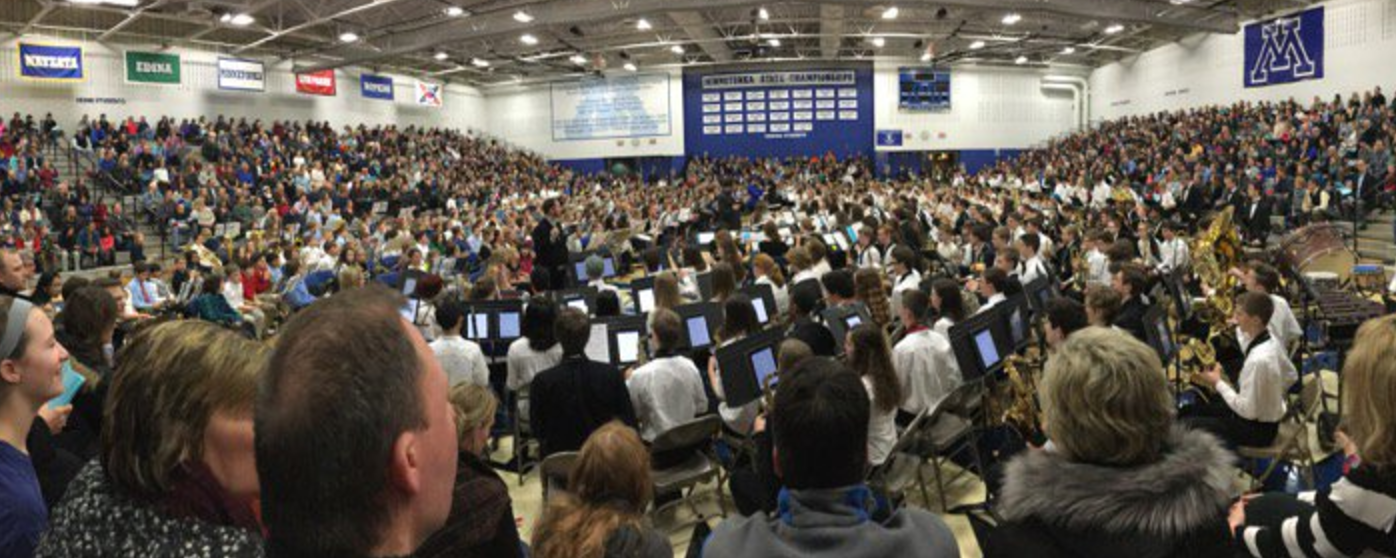
      Another band concert with director Paul Rosen
      and students using their iPads.
      Back when I was in middle and high school band learning to play the alto saxophone, I remember playing tests. I would practice a piece and then play it individually for our band director. We did this a few times a year. I remember our director would spend a number of days meeting with each student to assess us individually, while the rest of the band would have free time to do other homework or talk with our friends. But additional learning and practice in band did not happen on those days of school.


      Taking class time for playing tests over many days has all but disappeared from Minnetonka music classrooms. It has also decreased for many other teacher assessments, too, such as world language speaking tests where students now can record their answers to questions for their teacher to listen to after class, rather than individually during the school day. This is yet another example of accelerated learning possible due to 1:1 iPads in Minnetonka.


      Related Posts: