Monday, January 5, 2015

Parenting with Purpose in the Digital Age... Managing New Devices Received at the Holidays


Teaching kids to use technology responsibly is the responsibility of both families and schools.  In an effort to help parents
, we've been offering parent education talks on the topic for about the past seven years, such as one this Thursday, Parenting Tech Savvy Elementary Kids 101, January 8, 2015, 6:30–8pm, in the Excelsior Elementary Auditorium. My colleague, Kelli Whiteside, an Elementary Media Specialist, and I will be presenting.  We offer free transportation for parents in the school district that may not have a vehicle. Our elementary session description is:
Tablets, Smartphones, Minecraft, Instagram, Snapchat . . . Technology is a big part of our kids’ world! Keeping up can be challenging, but a positive and well informed approach can have a big impact on your child’s future and habits. Learn how to help your kids develop a balanced and healthy use of technology.  Get tips to develop safe and effective research habits, ideas for maintaining open dialog about technology, and understand the significant role you play in helping your child be responsible and safe in today’s high-tech world. Numerous ideas and free resources like Common Sense Media will be shared. This presentation is geared toward parents of children in E – 5th grades.
A link to our handout with all of these tips and resources can be found at tinyurl.com/CyberResources. Some of our tips include:


  1. Celebrate and Encourage Positive Uses of Technology
  2. Proactively share values, consequences, expectations away from home
  3. Model a Healthy Balance and Limit Entertainment Screen Time vs. Educational Screen Time 
  4. Actively engage and monitor, keep informed of trends, pop culture
  5. Set up a filter and restrictions for all screens
  6. Talk about respectful etiquette and cyberbullying
  7. Avoid Violent Video Games

At school with students, we begin this process early in elementary school, with media specialists using the Common Sense Media curriculum with our students whom they see for direct instruction each week.  At our secondary level, we are embedding the Common Sense Media curriculum into our announcements and also some of our advisory/homerooms.  If you haven't ever looked at Common Sense Media, it's great.  I'm always recommending this site to parents as a great place for up to date news on the latest trends, reviews of movies, apps, video games, etc., and advice on parenting in the Digital Age.  We keep updating information to share with our students' families about cyber safety and digital citizenship on our website, including tips such as instructions about installing home internet filters and links to other resources. We started a District Task Force on Digital Citizenship this past summer. We've also refreshed a poster campaign, with some elementary and secondary examples pictured below:


Our hope is that by repeatedly reminding and educating both students and parents through multiple mediums and means, our students will be safe and responsible digital citizens. 

Watch a 90 minute Minnetonka Parent Digital Citizenship Presentation for Secondary Students or 60 minute webinar.

See also:

Parenting with Purpose in the Digital Age... It's Complicated

Parenting in the Digital Age Part 2: How Much Should Parents Snoop?


Monday, December 29, 2014

New Year's Resolution: 3 Ways to Cut Back on Digital Distractions


It's the end of 2014, and time to make your New Year's Resolutions. I've been making resolutions for years and use the annual event as a time to enact some personal changes. This year, one of my resolutions for 2015 is to cut back on digital distractions.

UPDATE 2018: Instead of the Moment and Checky apps mentioned in the next paragraph, use Apple Screen Time or Google Well Being instead.


Back in October George Couros tweeted out a link to a great blog in the NYTimes entitled Trying to Live in the Moment and Not on My iPhone by Jenna Wortham about using apps like Moment* and Checky to track one's personal iPhone use (total number of minutes per day and number of times per day). I found it intriguing and asked him if he was going to try it, because I was afraid to do so. He agreed.  

I can relate this Liam F. Walsh New Yorker cartoon!

It took me another two months to get around to giving it a try, but I finally have. It's been fascinating to see my own stats and compare my totals day to day. 

Data is powerful, especially when it's personal.

As an earlier article in Mashable by Seth Fiegerman stated, data is powerful, especially when it's personal. Being confronted with these daily totals about my screen time has caused me to reflect quite a bit lately. The totals that I'm confronted with from these two apps have also caused me to think about what I didn't do because I was looking at a screen. Time spent talking with others, being with my family, looking up, listening, being outside...  all things I used to do more of before having constant access to a screen and the Internet. I'm glad I finally took the time to install both of these apps, and encourage you to do so, too.  

Say No to Nocializing 

Back in July at the Minnesota iPad Palooza, keynote speaker Carl Hooker mentioned an urban dictionary term called Nocializing and something he called the Digital Yawn, both which stuck with me.  Simply put, nocializing spending time on your mobile device rather then paying attention to the people around you. A digital yawn is the moment in a group when one person pulls out a device to look at it's screen, resulting in the rest doing the same. Carl mentioned that at restaurants with friends, they often stack their phones facedown in a pile to see who can go the longest without using their phone and whoever gives in has to pay the bill.  He mentioned another version of this where the phones remain face up and whichever one dings/vibrates first with a notification has to pay the bill...  I still haven't tried either of these techniques...


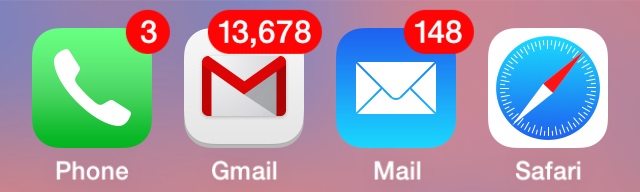
App badges create a FOMO.


Another one of the changes I made was to turn off almost all notifications on my iPhone and iPad, two of the devices I spend a lot of time on daily. I've turned off badges and all push notifications for email, Twitter, Facebook, Weather, NHL, and every other app on my device except iMessage and Phone. I actually did this a couple months ago.  I had found that the badges, such as those pictured above, tempted me to open each app and see what I was missing, which is exactly what I suppose they are designed to do. They create a FOMO I suppose. But I've discovered that each of these badges became a distraction and added stress to my life. They added pressure that is unnecessary, and I'm guessing I'm not alone in feeling this way.  

I'd encourage you to try this out, too. Your new emails, Tweets, sports scores, Facebook notifications, and everything else will still be there. But now you can access them on your schedule when you want, versus having them disrupt your life and distract you every time you turn on your device! (Just the number of times I used to unlock my phone for one task and instantly get distracted by some other app, often even forgetting what I had unlocked my phone for in the first place has decreased greatly.) I've been noticing how my own children get distracted by their notifications on devices, and hope to help them learn early how to manage their digital distractions, too.  I think balancing and managing digital distraction and learning to focus are valuable new life skills that we can help our children and students acquire.


I'd love to hear your ideas for cutting back on digital distraction, too, so please share!

For more reflections on digital distractions, please see an earlier post on Crazy Busy: You Are Letting the Screen Strangle Your Soul, a great read by Kevin DeYoung.  

A recent article about Albert Einstein's need for space for solitude and self-reflection by Paul Halpern is intriguing.  Einstein knew the value of time free of distractions. 

*I saw some reviews about Moment burning up your battery since it uses GPS location services, but so far haven't seen this become too big of a problem.  The creator, Kevin Holesh, was quick to respond to my email inquiry for a free family account which I will try out.

Monday, December 22, 2014

My Christmas Ed Tech Moonshot Wish

Two weeks ago at the Minnesota TIES State Technology Conference when I co-presented with Jen Hegna, Director of Information and Learning Technology for Byron Public Schools, on 1:1 Professional Development: Beyond Year One, we ended our presentation by sharing our dreams for the future or "Moonshots" (think Google 10X Thinking). With Christmas a few days away, I figured a posting my My Christmas Ed Tech Moonshot Wish was fitting:

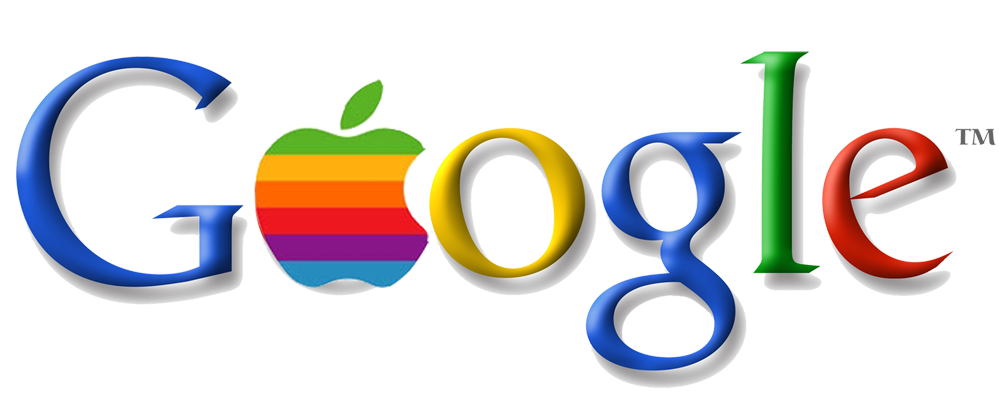
A marriage between Apple and Google.  


Imagine an ed tech world where products and programs from both companies worked seamlessly. (Cue John Lennon soundtrack if you wish.) Take the best of both and merge them together. Google Apps for Education fully functioning on a iPad tablet. No separation between platforms or operating systems. A Chromebook iPad, putting to rest the questions about "Which is better?" All the billions of dollars of both companies working together for the good of all... just imagine! It's easy if you try. All the innovative projects in each company's pipeline functioning with one another- wearing your Apple Watch with Google Glasses riding in your Google Driverless Car designed by Apple...  

So Santa, I know, it's a long shot and at lot to ask. But only a moonshot! Please?

Monday, December 15, 2014

Tip #2 for a Successful 1:1 Implementation: Differentiate Teacher Training

Last week at the Minnesota TIES State Technology Conference, Jen Hegna, Director of Information and Learning Technology for Byron Public Schools, and I presented on 1:1 Professional Development: Beyond Year One. Our presentation slides can be found here. Preparing for a presentation is always a good time to analyze and reflect on current practices as you figure out what to highlight and share. Working with someone from another district is a great way to learn about other options and compare notes.

Too often failed 1:1 implementations make headlines for a lack of planning, including professional development.  Well planned and sustained professional development is a key component of a successful 1:1 program.  Budgeting PD funding and staff not only for the initial roll out year but the years to come is essential.  Better yet, begin the PD a year or more ahead of the implementation!

The training should be relevant, frequent, and differentiated.  In Minnetonka, we have found great success with small group meetings held before/during/after school.  Sometimes teachers meet by grade levels and subjects, and other times by ability and interest.  Providing teachers with opportunities to connect, collaborate, and brainstorm ideas has advanced the level of technology integration we see on a daily basis in our 1:1 program.  We schedule these half-day sessions in August and two to three additional times during the school year, depending on the number of years of experience teachers have. Each of our teachers will receive about nine hours total of training this year, an amount that has decreased quite a bit from four years ago when iPad were so new to everyone--back then it was six full days during the first year!  


Building on our tradition of successful large group professional development trainings during our first years of 1:1, we have implemented a differentiated training model by listening to teacher feedback and working with building administration.  With the integration of 1:1 iPads we found that our training methods had to evolve to better meet the varied needs of all our teachers. In addition, we wanted the training to provide a way to model better practices of classroom integration.  

Over the years, our staff trainings moved away from the stand and deliver format to a more interactive approach that gives teachers opportunity to self pace while learning how to use new technology.  This model also frees the instructor to take on a facilitator and coaching role and better help all user abilities in the same training. Our teachers take part in numerous training sessions throughout the year where they meet, collaborate, and learn with one another to better implement the technology into their classrooms. Teachers on Special Assignment for Instructional Technology (Tech TOSAs) and Media Specialists work closely with their colleagues to integrate technology into all curricular areas, including art, music, business, health, physical education, special education, family and consumer science, media, as well as all core areas. For our teachers with a year or more of experience, a flexible model has been created as illustrated in the flow chart below. Teachers get to choose how they want to spend a third of their PD time, giving them more buy in and ownership of their learning.


They can choose to observe their colleagues teaching for an hour, work one on one with a Tech Coach, meet in a small group of their choosing, or attend a before school session on a topic of their choice. To document this, our instructional technology staff has created a collaborative document which is shared with each teacher to outline their learning and goals for the year, such as the small group planning document pictured below:


In addition to these flexible training opportunities, we have many other ways we help develop the skills of our 1:1 teachers, including frequently highlighting ideas in staff meetings and newsletter type communications, all with the goal of building a common language around iPad integration.  We also have an online Schoology (LMS) group for just our 1:1 teachers, and have begun offering some online learning PD options for teachers, too.

Monday, December 8, 2014

Minnetonka TIES Presentations December 8 & 9, 2014

Today and tomorrow, staff from Minnetonka will present nine different sessions highlighting technology integration and innovation in our school district at the Minnesota state technology conference, TIES.  Hopefully you are attending the conference and can be part of it.  If not, below are the session descriptions with links to the resources for each session.  Come visit us at our 10th Annual Tech Visit March 4 & 5 and our Summer Tech Institute June 17 & 18.

Monday: Going Google with iPads
Bring your own iPad and try out many ways you can use Google in education, beyond a simple search. Explore how to best make use of Google Docs, Google Sheets, Google Presentations, Gmail, Calendar, YouTube, cloud storage, and more -- all on an iPad. Learn invaluable tips and tricks during this hands-on session.

Monday: iPads and Google: Transforming Science Instruction
Hear how a science team has grown, leveraging 1:1 iPads to increase classroom efficiencies and choice. Examples of their success include: Project Based Learning, screencasting with Explain Everything and Show Me, camera use with lab reports, Google Forms, and Schoology Assessments. All team planning is done on Google Docs and Presentations, and shared collaboratively.

Monday: Professional Learning Network: Becoming a Connected Educator
Grow your professional learning network by connecting with like-minded educators on platforms such as Twitter, Google+, and LinkedIn. No need for previous experience; we will meet you where you are. This will be a hands-on approach to building your network. Come ready to try things out and participate.

Monday: Project Based Learning: VANTAGE Engages Business
Bring your own iPad and try out many ways you can use Google in education, beyond a simple search. Explore how to best make use of Google Docs, Google Sheets, Google Presentations, Gmail, Calendar, YouTube, cloud storage, and more -- all on an iPad. Learn invaluable tips and tricks during this hands-on session.

Tuesday: Formative Assessment with the iPad Toolkit
The iPad is a powerful tool for formative assessments. Explore how to gather real time information about student understanding. Learn shortcuts to make student access quick and easy. Share live demonstrations of favorite formative tools, and leave prepared to replicate their use in your classroom. Come to this session to unpack our favorite formative assessment tools.

Tuesday: Socrative and Peer Instruction
Focus on ways to have your students work harder than you, while learning content. Peer Instruction is a powerful way of engaging students while learning. It promotes deeper understanding of content. Participate in a hands-on demonstration with three interactive examples of how Socrative can be used with Peer Instruction.

Tuesday: Innovation 101: Tapping the Wisdom of the Crowd
Does your district embrace change? Do you know how to fully utilize the creative talent of your employees? Learn the secrets of crowdsourcing: it's collaborative, it's social, it's fun! Join a lively session that will introduce you to a new way of thinking. Leave ready to help your district increase employee morale, community support, and academic achievement.

Tuesday: iPad Creativity Apps in the Elementary Classroom
Learn ways that iPads can be used in an elementary classroom to allow students to “show what they know.” Move away from using the iPad for just drill and practice. Complete hands-on activities at your own pace. Explore with apps that allow for creativity.

Tuesday: 1:1 Professional Development Beyond Year One
The work getting a 1:1 program up and running successfully doesn't stop after the initial implementation. It is critical that the work continues with an even greater focus on professional development. Join a collaborative session with experienced 1:1 educators, sharing their best ideas and successes from two districts' journeys.

Monday, December 1, 2014

Crazy Busy: You Are Letting the Screen Strangle Your Soul


This fall as things have become busier than ever, I have been reflecting on my hectic schedule balancing work and family.  With four kids in elementary, middle, and high school, and my wife's return to full time teaching, the past few months have been a bit crazy to say the least.  Our family Google calendar often has so many simultaneous appointments that you have to view it by the day just to read what each one is.  My wife is a master at organizing things, but often we feel like two passing ships- or carpool drivers.  Like many other parents, we multitask and use technology to try to keep on top of things.  I often find myself answering the question, "How are you?" with a one word reply, "Busy."  

I am especially interested in the role I see technology playing in all of this.  I also have been noticing the distraction I see technology becoming for me, sometimes consuming up time I may have had to connect with family and friends or just to relax. A couple weeks ago on a plane, I read Crazy Busy: A (Mercifully) Short Book about a (Really) Big Problem by Kevin DeYoung.  What follows are some highlights from a chapter entitled, "You Are Letting the Screen Strangle Your Soul."  If you're too busy to read the book yourself, you may find these excerpts enlightening: 

  • It’s easy to think the best answer for technology overload is to rage against the machines. And yet, it does no good to pine for a world that isn’t coming back and probably wasn’t as rosy as we remember it.
  • In the Shallows, Nicholas Carr reflects on how his attitude toward the Web has changed. “At first I’d figured that the problem was a symptom of middle-age mind rot. But my brain, I realized, wasn’t just drifting. It was hungry. It was demanding to be fed the way the Net fed it—and the more it was fed, the hungrier it became. Even when I was away from my computer, I yearned to check e-mail, click links, do some Googling. I wanted to be connected.”
  • ...the Web had “scattered their attention, parched their memory, or turned them into compulsive nibblers of info-snacks.”
  • For too many of us, the hustle and bustle of electronic activity is a sad expression of a deeper acedia. We feel busy, but not with a hobby or recreation or play. We are busy with busyness. Rather than figure out what to do with our spare minutes and hours, we are content to swim in the shallows and pass our time with passing the time.
  • We are always engaged with our thumbs, but rarely engaged with our thoughts. We keep downloading information, but rarely get down into the depths of our hearts. That’s acedia—purposelessness disguised as constant commotion.
  • We are never alone.
  • “We want to complexify our lives. We don’t have to, we want to. We want to be harried and hassled and busy. Unconsciously, we want the very things we complain about. For if we had leisure, we would look at ourselves and listen to our hearts and see the great gaping hole in our hearts and be terrified, because that hole is so big that nothing but God can fill it.”
  • We are in a “non-stop festival of human interaction.”
  • Our digital age gives new relevance to Pascal’s famous line: “I have often said that the sole cause of man’s unhappiness is that he does not know how to stay quietly in his room.”
  • Neil Postman’s admonition is wise: technology “must never be accepted as part of the natural order of things.” We must understand that “every technology—from an IQ test to an automobile to a television set to a computer—is a product of a particular economic and political context and carries with it a program, an agenda, and a philosophy that may or may not be life-enhancing and that therefore requires scrutiny, criticism, and control.”
  • The biggest deception of our digital age may be the lie that says we can be omni-competent, omni-informed, and omni-present. We cannot be any of these things. We must choose our absence, our inability, and our ignorance—and choose wisely. The sooner we embrace this finitude, the sooner we can be free.

I'm still reflecting on my reading, but plan to focus more time learning about this as well as taking action on some of the tips and ideas I've learned about from this reading.  I also recently have read Margin: Restoring Emotional, Physical, Financial, and Time Reserves to Overloaded Lives by Richard Swenson. I would love to hear from you about other resources and ideas you have for dealing with technology's role in contributing to our crazy busy lives!

Monday, November 24, 2014

How Long is Stuff Really Out There? My Students' 1995 Digital Footprint

Digital footprints last forever, but how can we prove this to kids who tend to live in the moment and think that Snapchats are temporary?  My favorite way is to show them my former students' work from our classroom website from 1995--still online for all to see.


I used to teach elementary and middle school.  "Way back" in 1995 I taught my students basic HTML code and we built out a classroom website where my students posted artwork, information about what we were learning, and wrote autobiographies. My class enjoyed receiving emails from visitors around the world to our website.  I used to have copies of their work on floppy disks as a backup but got rid of those long ago.  However, all of our work is still accessible through Archive.org's "WayBack Machine."  Archive.org is like a museum of the Internet that has been saving over 435 billion websites since the early days of the Internet. 


To go back in time, I simply put in my school's web address and click on the "Take Me Back" button.  And after a few more clicks, I end up here in 1995. It is a completely working website Archive.org saved where you can click on every link.   You click on my school, my fourth graders, their artwork and their names.   


For example, Anna was born in 1986 and was my student in fourth grade in 1995.  Her autobiography and art work is still up there for anyone to see.  It is saved and archived. Now Anna's digital footprint is pretty innocent, and it doesn't even have her last name or an actual photograph.  Students today have much more information posted and available in their digital footprints!

When I show this to students they are often amazed that any of their digital content may be accessible in the future.  It helps them realize how permanent their cyber footprint actually is.  I encourage them to clean up their footprint and keep a clean digital footprint from here on out in the future.  Just imagine how easy and interesting genealogical research will be in the future when you can look through Facebook posts and photos of your great grandma, and watch YouTube videos of your grandpa from his school days!