Showing posts with label Schoology. Show all posts

Monday, November 2, 2020

Preparing for the (Second) Shift to e-Learning Checklist

As we monitored state and community COVID numbers during the first months of the 2020-21 school, we anticipated that we might not be able to keep K-8 students at school in person in our full time and hybrid models. After the first ten weeks of offering hybrid learning for our students K-8 in classrooms at 50% capacity (detailed more here in an earlier post), we had to shift to full time e-Learning. Thankfully we were able to use the time beforehand to prepare for this get our hybrid staff, students and their families ready. 

Fortunately this wasn't our first rodeo: back in March when school was shut down for the first time by the Minnesota Governor, we had shift to e-Learning, too, so we had a lot of experience on which to build. As I wrote back then, the pandemic has been a huge catalyst for technology integration. An added advantage with this second shift to e-Learning was that we were able to prepare the checklist below for our teachers to get ready for this change based on what we knew would need to happen. Another advantage this time around was the time we had to practice with our students in person and prepare them.

Because students in our Grade K-3 hybrid model came to school daily this fall, their teachers were less likely to be posting assignments in Seesaw, our K-3 learning management system, so we felt that these students needed the most practice. Our checklist included setting up expectations for both setting up Seesaw and practicing using it. Earlier this year we also had created Seesaw Expectations, similar to the Schoology Expectations for Grade 4-12 we have had for years. Our grade 4-5 students were e-Learning each Wednesday this fall, so the checklist included Schoology setup and practice with the upper elementary students, but many teachers had already taken care of this. Students in grades 6-8 were in person two days per week and online the other three, so they were already experiencing e-Learning regularly.

As you can see on the list below, our checklist encouraged teachers to practice using other tools beyond our LMS with students such as Google Meet, too:

Instructional Model Shift: K-5 e-Learning

Due to the uncertainty of the current times, below is a checklist that will prepare you, your students, and their families for a shift to e- Learning should this occur by classroom, school or as a whole district.  If you need help, please contact your tech coach.

By the end of the quarter, each of your K - 3 students should be able to...

  • use Folders and Calendar to filter Activities in Seesaw

  • complete a Seesaw Activity

  • participate in a Google Meet using a nickname

  • complete an assigned task in other programs (ex. SSO login, IXL, Pear Deck)

  • K-3 Homeroom Teachers Only: Reach out by phone to families who are not connected/have not accepted previous Seesaw invitations

By the end of the quarter, each of your 4-5 students should be able to...

  • use folders and calendar to navigate Schoology courses (review Schoology Expectations)

  • complete and submit a Schoology Assignment, Test/Quiz, Discussion Board

  • find assignment feedback/grades in Schoology

  • complete an assigned task in other programs (ex. SSO login, IXL, EdPuzzle, Classkick, Pear Deck, Padlet)

Other items to prepare for a possible transition to all eLearning:

  • Self Assess: Reflect on the tools and procedures your students would need to know for full-time eLearning

    • What instructional strategies work best for online teaching and learning?

    • What skills do you need to reinforce in order for students to learn online?

    • What routines, procedures, and/or norms need to be introduced if completely online?

  • Practice an e-Learning day while at school (this may be coordinated by school-wide):

    • Review how to access the learning plan and assignments for the day

    • Practice and clarify expectations for synchronous and asynchronous learning time

    • Practice using Google Meet (login with student Google account, mute mic, use headphones/turn down iPad volume,)

    • Practice solving common technology issues (turn off/on iPad, install/reinstall an app from Self Service, update iOS) and how to get help if they need it

  • Identify resources and materials students will need at home

  • Practice streaming live instruction with Google Meet

  • Practice recording and posting asynchronous lessons (recording Google Meets, Seesaw or Screencasting tools)

  • Think through teaching with tools in addition to SMART Notebook.

  • Consider saving files to your Google Drive in case you want/need to access remotely.

Related posts:

Thursday, May 7, 2020

A Pandemic as a Catalyst for Technology Integration in Education

The past few months have been a whirlwind. Preparing and implementing an e-learning meant tremendous growth in the use of educational technology. I have to say: COVID-19 is the biggest catalysts for technology integration — ever! Most of us in instructional technology could never have imagined so many teachers learning and adopting new technologies so quickly! 

Years ago I wrote an ISTE article about the Interactive Whiteboard as Springboard for Technology Integration. There have been a variety of educational technology tools besides  SMARTBoards that have changed teaching and learning, such as the internet and the iPad. But we know it has always been a challenge to help teachers understand the benefits and CHOOSE to adopt new technologies. Of course, there are the go-getters—the innovators—who are willing to try just about any new technology tool. In any change/adoption cycle, there are those who follow the innovators—the early adopters, upon whose success an entire roll-out depends. But it’s those reluctant users, the hard to convince, with whom we often spend our time.

The pandemic and resulting quick transition to e-learning created an urgency that no amount of persuasion has ever done in the past. In a matter of a few days, every teacher needed to use our online learning management system, Schoology (Grades 4-12) and Seesaw (PreK-3), assign and collect homework electronically, record and post videos of instruction,  assess students (formative and summative), participate in and lead synchronous Google Meets, and much more. Administrators, paras, and other support staff needed to learn to use these tools as well.

Staff worked above and beyond the call of duty to help all teachers, students, and parents gain comfort using our technology tools. We spent countless hours--including some days late into the night and weekends--setting up systems, researching tools, documenting, troubleshooting, and training staff. The amount of professional development provided over the past couple of months far exceeds the amount of training that normally happened over a whole school year. We even held an EdCamp a week prior to e-learning. Teacher leaders clocked almost 1,400 hours of staff training—and counting.

We’ve all seen the “flatten-the-curve” graphs for COVID-19. Without social distancing we’d see exponential growth in COVID-19 cases. But think about the exponential growth in instructional technology adoption during this time. As I looked for a graph with an exponential growth curve combined with the diffusion of innovation model, I found the one pictured and am intrigued (source). Although it’s not an exponential curve, it’s perhaps a better graph to consider. The y-axis could represent the move to online teaching and learning, with rapid adoption of our e-learning technology tools. Perhaps a graph could also show the compressed time frame in which this has all occurred. If you know of other models, please share. 

For school districts like ours in which many have now mastered the basics of using technology tools for e-learning, what should be next? How do we move our teachers to higher levels on our Minnetonka Teaching & Learning Framework? We have been discussing this as a team, working on ways to enhance online instruction, make it more engaging for students, more effective and efficient for teachers, and more streamlined for parents helping from home. For example, now that teachers understand the basics of screen casting, what are the next skills and tools we want our teachers to learn? And now that many are using online formative assessment tools, what are the most effective questioning techniques? How can we make online discussion tools better and more meaningful for students?

Almost three years ago, I wrote: Accelerating Changes Needed in Education, a reflection on Thomas Friedman's claims that education was not keeping up with technology’s exponential, accelerating changes. He explained that we still had a chance to bridge the gap between the two growth curves of technology and human adaptability (shown in the graph). Mr. Friedman, over the last two months, I think we closed this gap considerably. 
I also realize that not all school districts are in the same place. The move to online learning has amplified the substantial disparities in educational equity communities face. In Minnesota, like other places around the world, we have a well-documented lack of broadband access.  So, some schools are “distance learning” without internet or device access. Hopefully the need to provide equitable access for all students will now get the attention and funding it needs.
It is, of course, still early to know what the next school year will be like. At this point, it seems that we will need to plan for four scenarios: 1) continued fully online school as we are now, 2) some sort of modified face-to-face school with social distancing and other new procedures being practiced, 3) a mix of #1 and #2, or 4) a return to February 2020 with our regular face to face schooling and past ways of doing things—but even that would be different.

Whenever we return, we will welcome back students and teachers who have new skills and experiences. So many teachers are experiencing for the first time what can be accomplished with technology. It seems that the traditional whole-class instruction format, without technology, will be a thing of the past. Why would we want to go back to pre-pandemic levels of instructional technology use? Now we can begin to focus on individualized and personalized instruction, self-directed and self-paced learning, frequent formative assessment, and things like flipped learning among other things. Return to normal? No, thanks. There is an exciting future ahead for students, teachers and learning.

Related posts:

Monday, February 3, 2020

Middle School Algebra Students Design and 3D Print Bubble Wands


About five years ago I heard George Couros mention the “Twitter Factor” when referencing how you could walk into a classroom and determine whether or not the teacher was active on Twitter. If s/he was, then observers would likely see innovative ideas and best practices that were being shared online. I was reminded of this recently when I was in one of our middle schools and saw students highly engaged at work on an amazing project. I learned that one of our math teachers, Jon Westmeyer at Minnetonka Middle School West, had first seen the idea for this lesson on Twitter and then worked with Cindy McGlasson, math teacher at East Middle School, and three other colleagues to adapt it for their students.

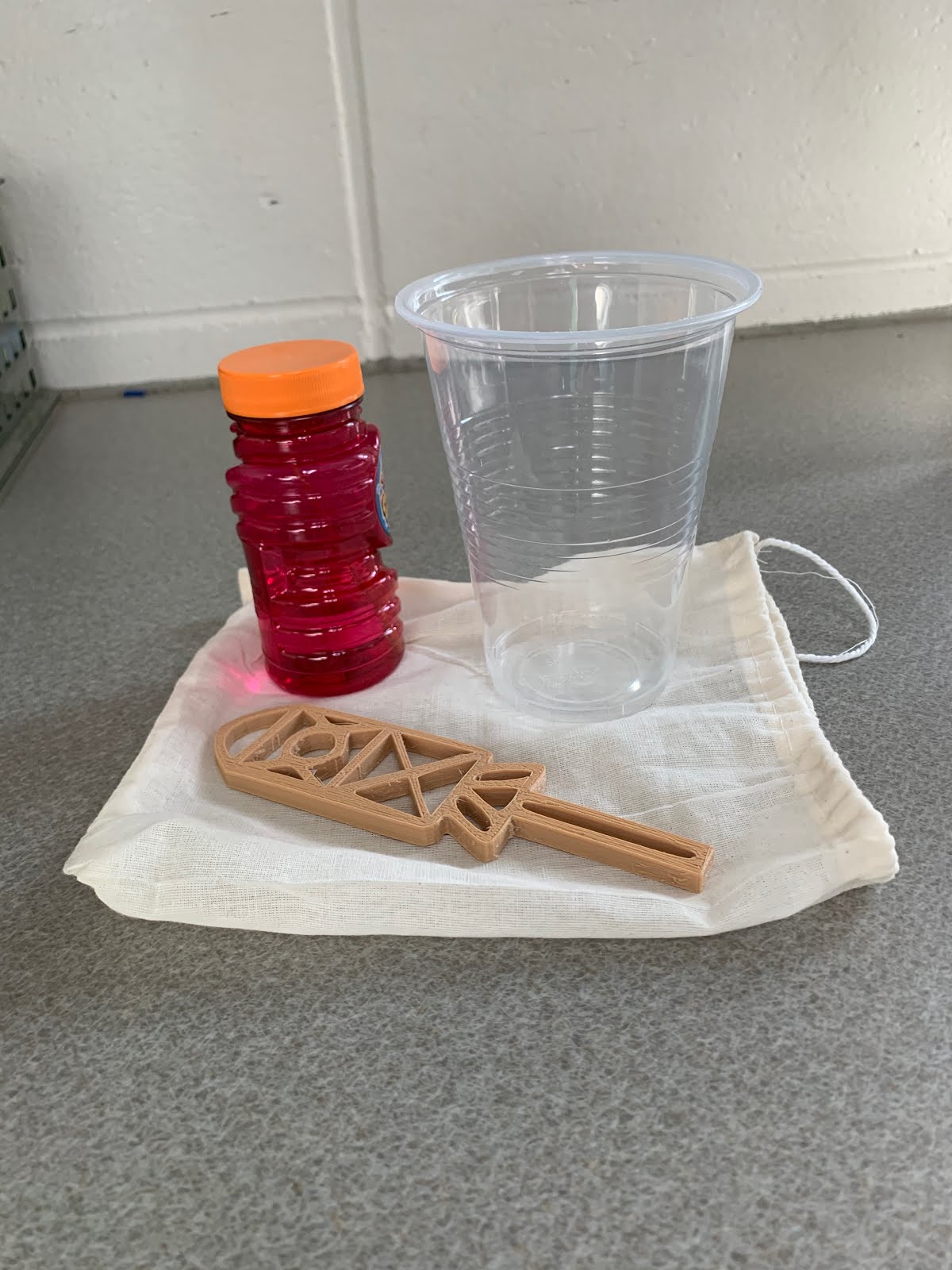
The teachers wanted students to “recognize and represent linear functions in real-world and mathematical situations.” To accomplish this, the seventh and eighth grade Algebra I students at both of our middle schools work with a partner to design bubble wands using linear equations which they print out on 3D printers and give to patients at a hospital or foundation of their choice. They put their wand in a small gift bag along with a bottle of bubble solution and a letter they write to cheer up the patient/recipient and explain what they learned in this process.

When I was in Cindy’s math class a few weeks ago I was able to see firsthand just how excited the students were with this project. She explained to me that the students in the 8th grade Algebra classes (4 of the 5 teachers) are grade level math students and, in the hour I visited, 1/3 of the students are also in her Algebra support class. “So the project is a great opportunity to add rigor and engagement for classes which might have defaulted to more rote learning in the past.”

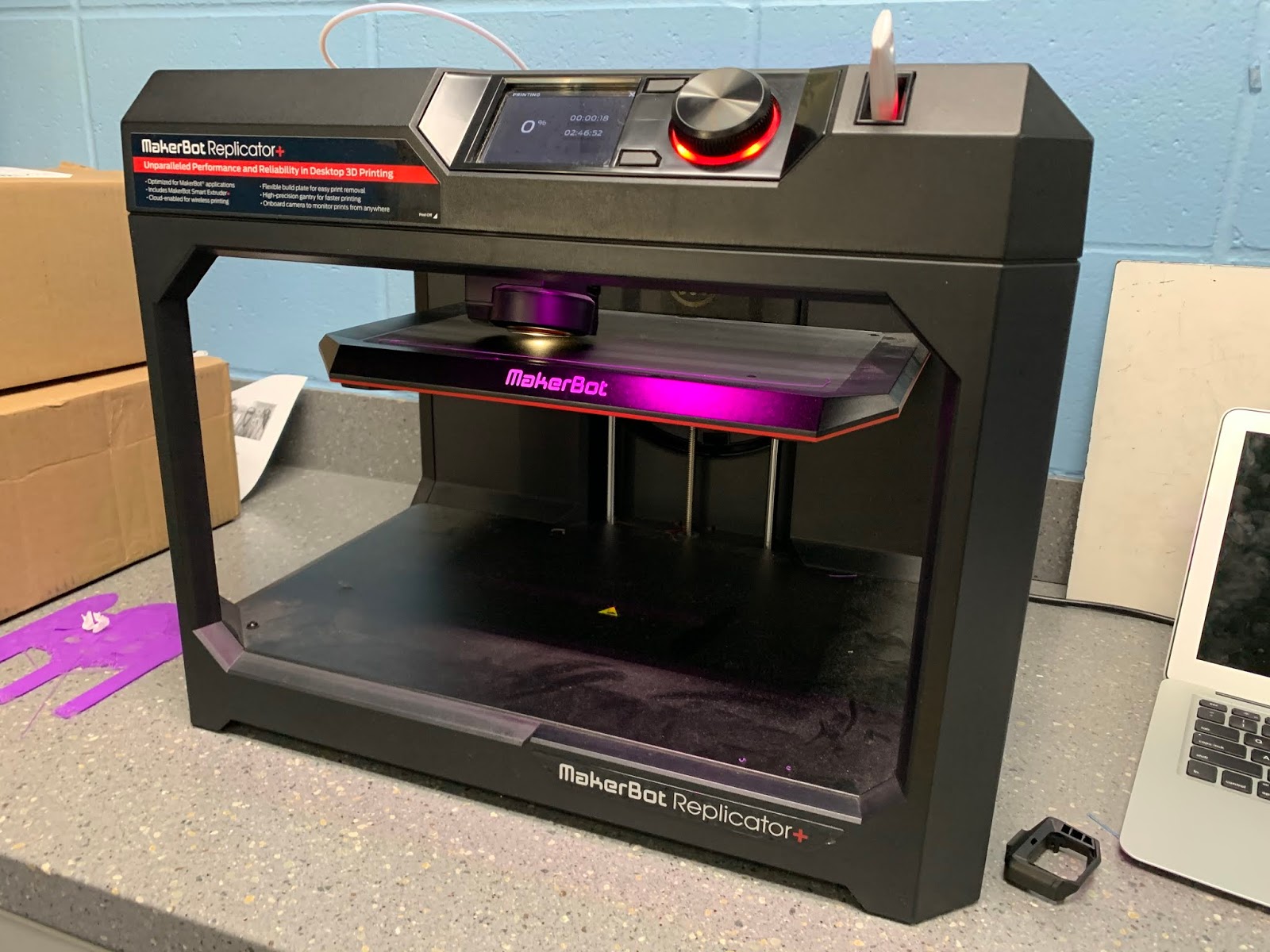
To design their bubble wands, the students first figure out linear equations to create the lines and curves needed to make the shapes in their bubble wand design. They use the Desmos app to do this. Then they use Selva3D to transform their 2D image to 3D. Afterwards, they import this design to Tinkercad to finalize it for the MakerBot printer. Their full instructions can be found here.

Below are a few student comments that came from an open ended survey question asking, “What else you might want to share from your experience?"
I really enjoyed the creativeness [sic] of this project, and the idea that we could be doing something for other people. It was a great break from normal solve equations, check work, solve equations, check work, while still being educational, and helpful.
I had lots of fun working on this, and going through all the challenges me and my partner faced.
It was sooooooo much fun and it really helped me with my lines. You guys should do it every year. It was cool to do something different that still helps you learn lines in a better/unique way.
I think this was a great project, not only to expand our understanding of lines and graphs, but also because we were doing this for a good cause.
This work is done as part of our School Board’s Goal #2: To continue to work to expand experiential learning and inquiry-based learning opportunities for E-12, including infrastructure and resources required. To help with this, last spring “Framework Grants” were awarded in which Minnetonka teachers could apply for funding to support such projects. (Learn more about the Minnetonka Framework for Teaching and Learning.) 

According to a report to the Board on January 20, “these grants encouraged those with ideas and initiative to create compelling student experiences with District support. Grants provided teachers paid planning time, a process to request funds for supplemental materials, training, and the support of a coach. 27 teacher teams chose to attend training and engage fully in the process. To date, 15 projects have been planned and have either been implemented with students or are waiting for the proper time in the curriculum sequence to do so. Remaining grants are in varying stages of planning and implementation.” 

Another example of a Framework grant is  Grade 2 Chinese Immersion students learning the cultural background of Chinese shadow puppetry--they learn and apply Chinese language arts skills by writing original scripts and performing shadow puppet plays for an audience. Students create their own shadow puppets and props in the Chinese tradition. 

Related Posts:

Monday, October 21, 2019

Skipper Student Tech Tips Advance Use of Technology for Learning


SkipperTech Tips started last spring when I decided to start posting some technology tips to all of the students in our grades 4-12 1:1 iPad program. I started this in an effort to increase students’ efficiencies and skills using technology for learning. I began periodically posting a weekly tech tip using Schoology, our learning management system. I included all of our teachers and staff, too, so the tips have the potential to be seen by about 8,000 people.  

For about the past 15 years we have been sending our adult staff periodic tech tips by email, usually on a monthly basis. This was the first time we brought the tips directly to the students districtwide. One of the reasons behind this was my desire to give the opportunity for all students to be informed of valuable tips rather than hope one of their teachers relay something to them--I haven’t seen this “trickle down” tech tips philosophy be very effective in the past. Posting a quick tip that everyone sees is a much more effective way to get the message out to as many people as possible. The pilot of this process last spring was very positive and I’ve resumed it this school year.

I also decided to have some fun with it and used my dog as the avatar for the poster. I took a photo of my dog wearing a Minnetonka hat and used that as the avatar for “SkipperTech”. My kids have helped with photo shoots with our dog and an iPad for each tip, and we've added some fun "Easter Eggs" for the observant--such as dog-related websites, tabs, and topics such as the presentation pictured above on squirrels. You get the idea.

I've used the SkipperTech account to post a request for students to submit their own ideas for future tips using a Google Form. I've received tips related to iPads, Notability, Google, iMove, Siri, other apps, and more. Last spring I had already received over 200 suggestions, so I have plenty of material for future posts. I included a place on the form to ask the students whether or not they wanted to remain anonymous or receive credit for their tip. 


I've also used the SkipperTech account to provide students with direct links to instructions apps such as Animatic and Stop Motion. A third use of the account has been to collect student work to showcase and share their ideas with one another. For example, last spring SkipperTech asked students to submit creative examples of animated GIFs they had made with the Animatic app. Almost 140 students submitted work. In a previous post, I shared over 20 examples of what Minnetonka students had made. Hopefully SkipperTech will inspire our students to not only use tech better but open their eyes to even more possible ways to use it to enhance and showcase learning.

Related Posts: