Monday, February 3, 2020

Middle School Algebra Students Design and 3D Print Bubble Wands


About five years ago I heard George Couros mention the “Twitter Factor” when referencing how you could walk into a classroom and determine whether or not the teacher was active on Twitter. If s/he was, then observers would likely see innovative ideas and best practices that were being shared online. I was reminded of this recently when I was in one of our middle schools and saw students highly engaged at work on an amazing project. I learned that one of our math teachers, Jon Westmeyer at Minnetonka Middle School West, had first seen the idea for this lesson on Twitter and then worked with Cindy McGlasson, math teacher at East Middle School, and three other colleagues to adapt it for their students.

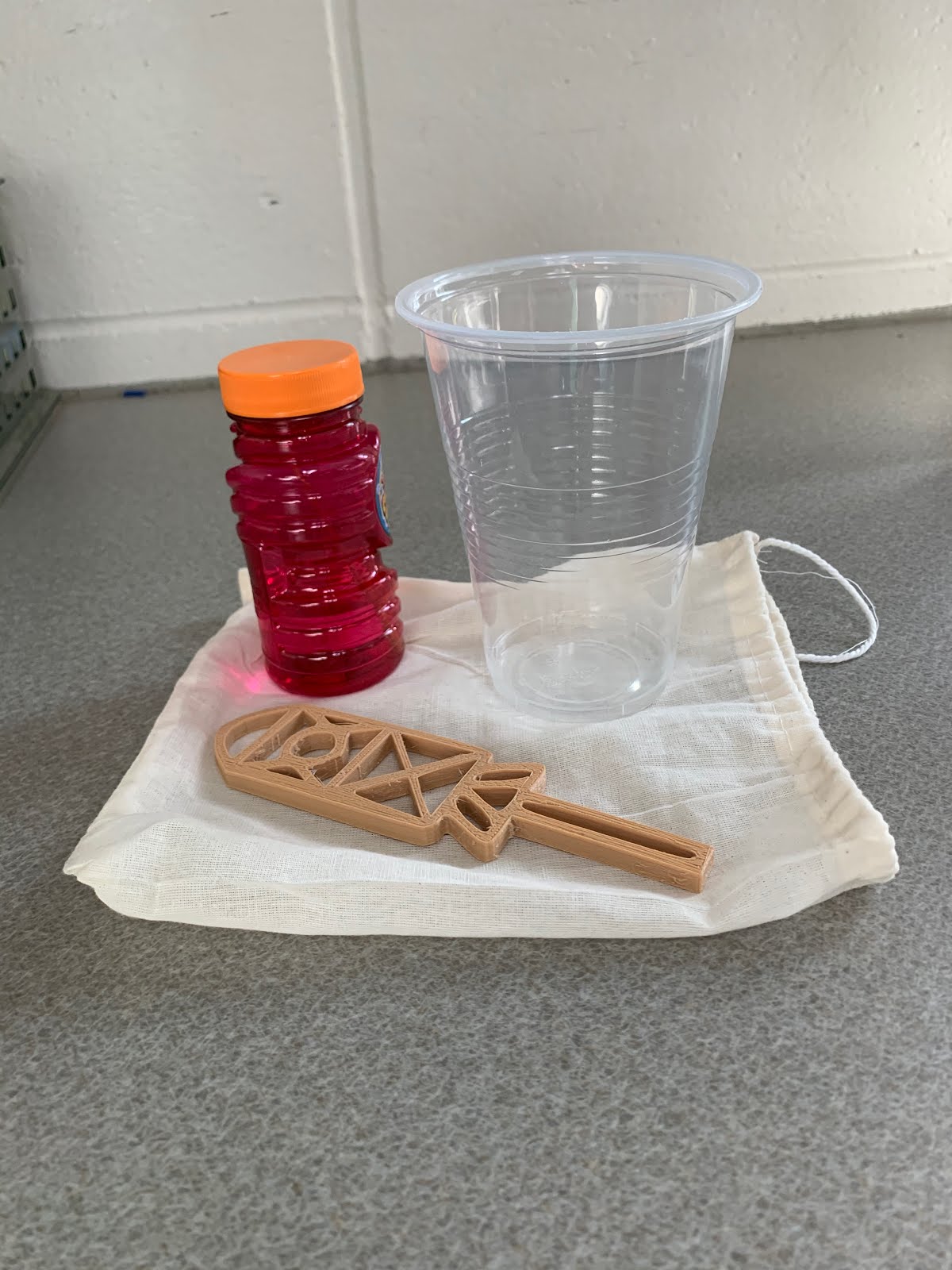
The teachers wanted students to “recognize and represent linear functions in real-world and mathematical situations.” To accomplish this, the seventh and eighth grade Algebra I students at both of our middle schools work with a partner to design bubble wands using linear equations which they print out on 3D printers and give to patients at a hospital or foundation of their choice. They put their wand in a small gift bag along with a bottle of bubble solution and a letter they write to cheer up the patient/recipient and explain what they learned in this process.

When I was in Cindy’s math class a few weeks ago I was able to see firsthand just how excited the students were with this project. She explained to me that the students in the 8th grade Algebra classes (4 of the 5 teachers) are grade level math students and, in the hour I visited, 1/3 of the students are also in her Algebra support class. “So the project is a great opportunity to add rigor and engagement for classes which might have defaulted to more rote learning in the past.”

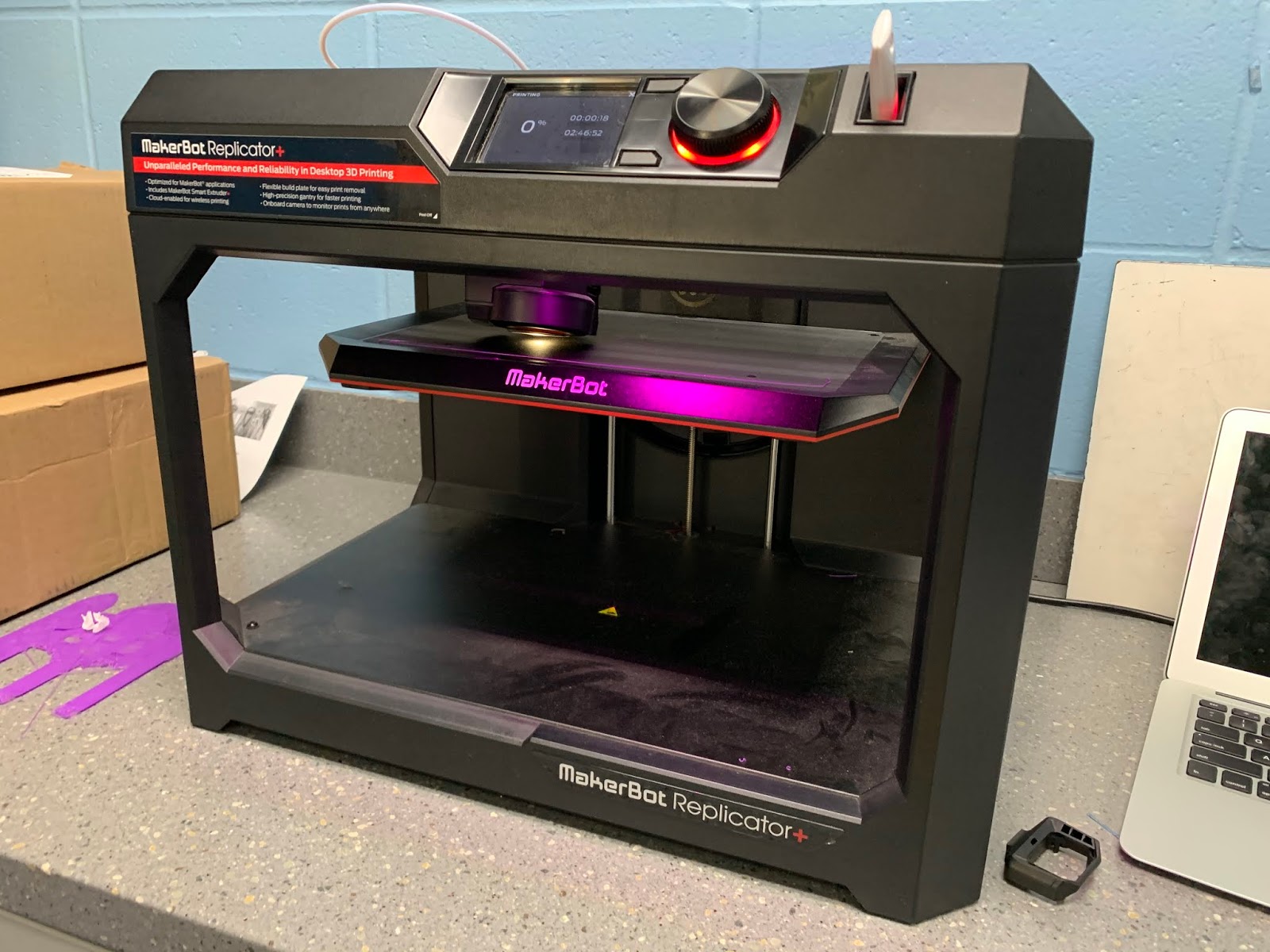
To design their bubble wands, the students first figure out linear equations to create the lines and curves needed to make the shapes in their bubble wand design. They use the Desmos app to do this. Then they use Selva3D to transform their 2D image to 3D. Afterwards, they import this design to Tinkercad to finalize it for the MakerBot printer. Their full instructions can be found here.

Below are a few student comments that came from an open ended survey question asking, “What else you might want to share from your experience?"
I really enjoyed the creativeness [sic] of this project, and the idea that we could be doing something for other people. It was a great break from normal solve equations, check work, solve equations, check work, while still being educational, and helpful.
I had lots of fun working on this, and going through all the challenges me and my partner faced.
It was sooooooo much fun and it really helped me with my lines. You guys should do it every year. It was cool to do something different that still helps you learn lines in a better/unique way.
I think this was a great project, not only to expand our understanding of lines and graphs, but also because we were doing this for a good cause.
This work is done as part of our School Board’s Goal #2: To continue to work to expand experiential learning and inquiry-based learning opportunities for E-12, including infrastructure and resources required. To help with this, last spring “Framework Grants” were awarded in which Minnetonka teachers could apply for funding to support such projects. (Learn more about the Minnetonka Framework for Teaching and Learning.) 

According to a report to the Board on January 20, “these grants encouraged those with ideas and initiative to create compelling student experiences with District support. Grants provided teachers paid planning time, a process to request funds for supplemental materials, training, and the support of a coach. 27 teacher teams chose to attend training and engage fully in the process. To date, 15 projects have been planned and have either been implemented with students or are waiting for the proper time in the curriculum sequence to do so. Remaining grants are in varying stages of planning and implementation.” 

Another example of a Framework grant is  Grade 2 Chinese Immersion students learning the cultural background of Chinese shadow puppetry--they learn and apply Chinese language arts skills by writing original scripts and performing shadow puppet plays for an audience. Students create their own shadow puppets and props in the Chinese tradition. 

Related Posts:

Monday, January 27, 2020

Social Media & Parenting Panel Discussion in Minnetonka March 12


As a follow up to our three parent screenings in Minnetonka of the powerful LIKE documentary this year, we are offering a panel discussion about the film and the impact of social media on our lives. On the evening of March 12, Minnetonka parents can engage in small group discussions with others about ways to support healthy technology use, include kids in the conversation and successfully implement changes. Panelists will share tips and ideas to help and answer questions. Panelists include Mathew Meyers, a Licensed Marriage and Family Therapist, Cindy Andress, Minnewashta Elementary Principal, Paula Hoff, Minnetonka Middle School West Principal, and Jeff Erickson, Minnetonka High School Principal. I'll moderate the panel. Parents can RSVP on our District Digital Health & Wellness page.

One of many screenings of LIKE in Minnetonka.
Minnetonka students in grades 6-12 saw this documentary during school this year; grades 7, 8 and 10 viewed it in November, and grades 6, 9, 11 and 12 view it in February. The hope is that seeing the film will help spark informed conversations about social media use and help guide everyone toward a healthy relationship with social media, personal technology, and entertainment screen time. Here is the handout that accompanied the film, Tips for Managing Social Media Use, as well as numerous tips and resources below. 

If you haven't seen the LIKE documentary, consider watching Max Stossel's 45 minute recorded student assembly and/or 60 minute parent presentation here. He's the star/narrator of the LIKE film and the Head of Education for the Center for Humane Technology. It's almost the identical content, just not professionally produced like the documentary which included interviews and graphics, etc.
Thanks for your help discussing these topics with your students and family!


Related posts:

Monday, January 20, 2020

12 Examples of Seesaw Use Taking Off in Minnetonka E-3 Classrooms


Since starting in September, Seesaw use in Minnetonka E-3 classrooms continues to increase each week. Students are creating content documenting learning, teachers are posting activities for students and pushing announcements to parents, and parents are viewing and commenting with their child. An average of about 500 parents per week per school view Seesaw content and leave comments or "Likes" for their student. We have seen very few, if any, other educational technology programs take off so quickly and become so popular.

To support the startup and continued growth of Seesaw, our elementary tech coaches offer monthly Seesaw training and sharing sessions. After an initial teacher training at each school in September they have followed up each month by facilitating a teacher sharing session of ideas and best practices. They communicate these ideas between all sites to spread the knowledge and speed up implementation of the best use of the platform, too. We also have set goals of topics and skills to introduce each month for the remainder of the school year. Technology coaches have attended trainings and presentations both online and in person at last month's state technology conference to learn more. Later this month Minnetonka is hosting a Twin Cities Metro Seesaw User Group meeting to network with other districts and build a community to share ideas. 


We have seen some great, creative and innovative uses of Seesaw by our teachers so far. Some of these include:


  • Students labeling photos they take in science of their sunflower seeds or videos of their crayfish as pictured.
     
  • Multiple photos of individual and classroom shots shared with families to help them understand more of what is happening at school.
     
  • Students documenting learning, such as a photo of their writing journal pictured above, or recording reading aloud--audio or video--for parents and classmates. This is a great formative assessment for the teacher and gives students an authentic audience. Some teachers are using soft-sided cubes like the one pictured to block out extraneous noise. One teacher had all her students practice being "videographers" for their partner, learning recording tips.
     
  • Posting a video explaining how to solve the math skill(s) currently being taught for students to review and to help parents understand how to reinforce and help with homework. Or posting instructions for parents on how to repeat any classroom activity, such as the retelling of the Three Little Pigs pictured.
     
  • Teachers posting the "Star Student" of the week in Seesaw for everyone in the class to see and encourage further home discussion.
     
  • Sending links and announcements home to parents such as the conference sign up form, book fair links, and other items normally sent home in a class newsletter.
     
  • Teachers are working on building class community and helping students learn from mistakes; valuing the process, building understanding, learning how to support each other and handle mistakes.
     
  • Posting videos for parent volunteers to watch prior to the day of helping out the class. The parent comes ready to start at a station and does not need to ask the teacher what to do and take time away from the students.
     
  • Teachers recording a weekly video for parents rather than sending home a newsletter. Teachers love the fact that they can know through Seesaw when each family viewed something.
     
  • Students using the screen recording feature to write Chinese characters so the teacher can see whether or not they are using the correct ink strokes.
     
  • Teachers are using Seesaw to post things parents wouldn't typically see such as work in progress, a picture of a math notebook page, and recordings of reading own writing in immersion language.
     
  • Reading poems Chatterpix and sharing their work with classmates and parents via Seesaw.
As our teachers continue to become more familiar with Seesaw, they are utilizing the Activity Library and sharing resources with one another across the district and beyond. Seesaw has proven to be an easy to use platform that students, teachers and parents love. It will be fun to see what the second half of the year brings!

Related Posts:

Monday, January 13, 2020

Every Week is the Hour of Code in Minnetonka Elementary Classrooms

Our Tonka Codes program is now in its sixth year. Starting last year, coding was added to the elementary report card. There is always coding going on in Minnetonka elementary classrooms, so in a way, every week is the Hour of Code. However, each December we participate in the International Hour of Code along with schools around the world, and last month was no different. We set a 5,000 hour goal for the Hour of Code week and students in our district ended up with a total of 6,481 hours of coding! Every single school coded higher than one hour per student on average. A big thanks to our participating teachers and to our Elementary Tonka Codes Teacher on Special Assignment, Tarah Cummings, for leading this effort! 

Below is a sampling of what I saw while visiting each of our six of our elementary schools during the Hour of Code Week and posted to Twitter. A few of our schools organized special coding parties and events with parent volunteers. Many teachers paired up with buddy classes in which older grades helped younger students with coding such as fourth graders helping kindergartners. There were also high school volunteers who helped elementary students learn coding. One of the common themes I saw was collaboration and communication. Very rarely is coding done in isolation--even when students are individually doing a task or working on a program on their own device, they are almost always trouble shooting with others and helping one another out. 


In addition to these highlights, almost 50 elementary teachers shared what they did by posting a summary and photos to our Elementary Coding Schoology Group. There were so many great coding experiences! As I wrote at the start, these happen weekly for our K-5 students since coding is part of curriculum. To learn more about coding in Minnetonka K-12, please see some of the related posts listed below:

Monday, January 6, 2020

15 More Examples of Meaningful Coding Across the Middle School Curriculum

Back in December during the International Hour of Code, we asked all of our middle school teachers to include a coding activity tied in with their curricular area and share with all teachers what they did by posting to a Schoology Group. Below is a sampling of what was done at both of our middle schools along with some of the photos they submitted. As you can see, there was great variety and creativity involved and teachers tied it to their curriculum, from language arts, music, math, science and more. A big thanks to our participating teachers and to our middle school computer science teachers, Lisa Reed and Michelle Pease, for encouraging colleagues to explore the opportunities for integrating coding into their curriculum. 
  1. My 8th grade geometry students used Spheros to calculate polygon interior and exterior angles, and programmed their bots to draw pictures. 

  2. I had my 7th grade Comp Math students work on coding the coordinate plane. Students were able to learn about the coordinate plane and coding through this Codesters activity. They had a great time! 

  3. 8th grade Global Studies students at MME coded flags of the world today! Fun times coding Libya then going for more challenging flags of Ukraine and Germany. Some students designed and coded their own flags.
  4. Students are currently reading The Cay by Theodore Taylor in 6th grade LA class. The book lent itself well to a connection about WWII, Alan Turing and the Enigma code in spirit of Code Week! They learned what encryption is and how to decrypt messages just like Alan Turing did during WWII in the fight against Nazi Germany. Students attempted to decrypt the attached cryptogram, and some were successful! Those that finished could extend their knowledge of Cryptography with Swift Playgrounds: Cipher. The conversations spurred from this lesson were not all focused on coding, but the life of Alan Turing brought rich conversations about history, persecution, and humanity that brought great value to the class. 

  5. My classes are participating in code week this week. Today we did a coding Breakout EDU. Tuesday and Wednesday we are using Spheros and Thursday we are doing Swift Playgrounds. On Friday we are ending the week with a coder speaker.
     
  6. In my social skills class we did an hour of code using Breakout Edu. The students had to work in partners to problem solve various puzzles and codes. It was a great way to observe collaboration skills and their ability to persevere through frustration!

  7. I had students code a health super hero that would rescue someone from drug use. My 6th graders were really creative. One student coded a grandma figure that went into schools and talked to kids about how drugs have aged her. And even though she looked old like a grandma, she actually was not as old as she looked because of her drug use. So fun to see their creativity!

  8. 6th Grade LA coded Homophone stories - the requirements were three sets of homophones that were different and a story that made sense! Many kids had a lot of fun with this!!

  9. 7th grade Spanish Immersion LA students created story maps to retell fairy tales. They programmed Ozobots to follow their story maps.

  10. In 7th grade life science, students had the opportunity to explore the Code.org website tutorials. Many a Flappy Bird game were coded this day.

  11. In 8th grade earth science the students played with the different Hour of Code Activities! Some of them created their own games! 

  12. In Band 8, we worked on coding the music of Franz Lizst. A great activity to do right after the concert!!

  13. In Language Arts, students created a PSA with Codester.com. 

  14. In comp math students were coding a snowman with coordinate points. 

  15. In our language arts hour of code, students are coding mini narratives! Students code to establish character and setting in a short story.
To learn more about coding in Minnetonka K-12, please see some of the related posts listed below: